How to Build and Deploy AI-Powered Robots with NVIDIA’s Latest Platforms
Introduction
National Robotics Week shines a spotlight on how artificial intelligence is stepping out of data centers and into the physical world. From agricultural harvesters to surgical assistants, robots are transforming industries faster than ever—thanks to breakthroughs in simulation, synthetic data, and foundation models. NVIDIA’s latest stack of tools, unveiled at GTC, gives developers a path from virtual training to real-world deployment. This guide walks you through the key steps to harness these technologies for your own robot-building project.
What You Need
Before diving in, ensure you have the following prerequisites:
- Hardware: A system with an NVIDIA GPU (RTX 30-series or newer recommended) and sufficient RAM (16 GB+). For simulated deployment, a Jetson edge device like the Nova Carter can be useful.
- Software: Ubuntu 22.04 or later, Docker, and the latest NVIDIA drivers. Access to NVIDIA Isaac Sim, Isaac Lab, and Omniverse (free via NVIDIA Developer Program).
- Accounts: NVIDIA Developer account and NGC container registry access.
- Knowledge: Basic familiarity with Python, ROS 2, and machine learning concepts. Experience with robot operating systems helps but isn’t mandatory.
- Optional but helpful: A physical robot platform (e.g., Nova Carter) for testing outside simulation.
Step-by-Step Guide
Step 1: Set Up the Simulation Environment – Isaac Sim 6.0
Begin by installing NVIDIA Isaac Sim 6.0, now generally available. This simulation tool lets you model real-world scenarios with high fidelity, including collision detection, object contact, and flexible parts.
- Download the latest Isaac Sim from the NGC container registry and launch it via Omniverse Launcher.
- Load a pre-built environment (e.g., a warehouse or surgical theater) or import your own 3D model using USD format.
- Configure the physics engine – Newton 1.0 (open source) is the default; it provides accurate collision detection and stable simulation for both rigid and flexible components. Tune parameters like friction and restitution to match your real-world scenario.
- Add sensors (LiDAR, camera) to the robot model and test basic navigation using built-in ROS 2 bridges.
Step 2: Train Robots with NVIDIA Isaac Lab 3.0
Once your simulation environment is ready, move to robot learning using Isaac Lab 3.0 (also GA). This platform provides reinforcement learning (RL) workflows specifically designed for robotics.
- Define the task: for example, a surgical arm passing an instrument or a mobile robot navigating a warehouse aisle.
- Select a pre-built RL algorithm (PPO, SAC) from the Isaac Lab library or write a custom one.
- Use the Cosmos world models to generate diverse synthetic training scenarios. Cosmos helps your robot generalize across different lighting, textures, and object placements by creating vast amounts of varied data.
- Train the policy in simulation, monitoring convergence and tweaking hyperparameters as needed.
Step 3: Integrate Natural Language Commands via GR00T
To allow robots to understand plain-language instructions, incorporate the NVIDIA Isaac GR00T open models. These vision-language-action (VLA) models enable reasoning and multi-step task execution without hard‑coded scripts.
- Download the GR00T base model from the NVIDIA NGC catalog.
- Fine‑tune it on your specific task data (e.g., surgical instrument names or warehouse objects) using transfer learning.
- Connect the model to your Isaac Sim simulation via the provided ROS 2 node. Test commands like “pick up the scalpel” or “navigate to bin A”.
- For a hands-on example, try the NVIDIA NemoClaw integration with Isaac Sim. Developer Umang Chudasama created a demo where a Nova Carter robot responds to natural language without manual coding. Adapt that approach to your own robot.
Step 4: Generate and Use Synthetic Data with NVIDIA Cosmos
Synthetic data is critical for training robust perception models. NVIDIA Cosmos world models generate photorealistic scenes with ground‑truth labels.
- Set up Cosmos using the NGC container (follow the quickstart guide on NVIDIA Developer).
- Define the rendering parameters: environment layouts, object poses, lighting conditions.
- Generate thousands of images with segmentation masks, depth maps, and bounding boxes automatically.
- Use this data to train or fine‑tune your robot’s perception stack (object detection, pose estimation) using frameworks like PyTorch or TensorFlow.
Step 5: Validate with the Full‑Stack Workflow
NVIDIA’s full‑stack approach connects cloud, simulation, and edge. Before deploying to real hardware, validate the entire pipeline.
- Use Omniverse NuRec to record and replay sensor streams, enabling deterministic testing of your robot’s control software.
- Set up the cloud‑to‑robot workflow: the GR00T model runs in the cloud (or on a powerful GPU server), while the policy inference runs on the robot’s edge computer (e.g., Jetson).
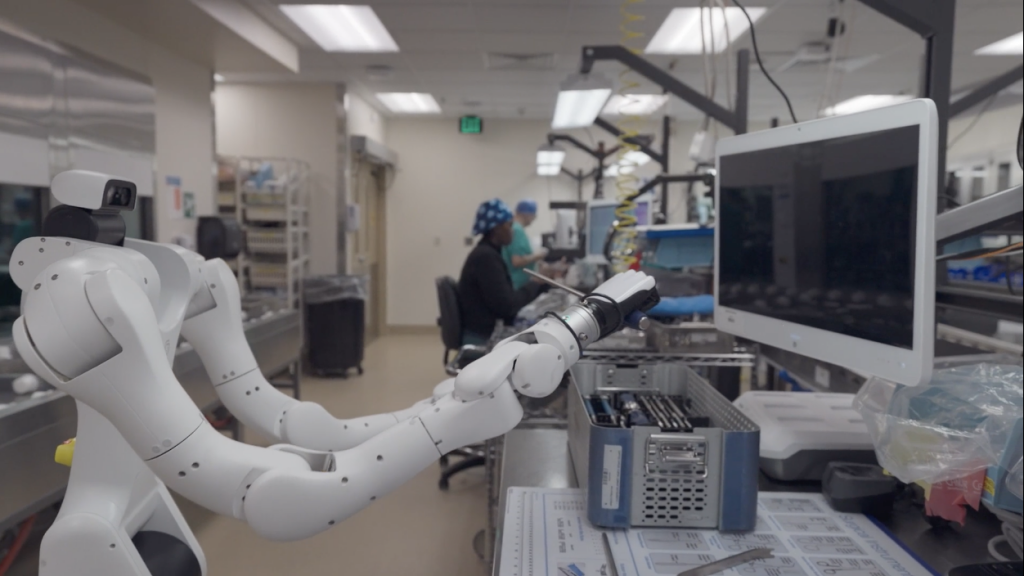
- Simulate multi‑agent scenarios – for inspiration, look at PeritasAI, which uses Isaac for Healthcare and the Rheo blueprint to orchestrate multiple surgical assistants in real time. Their collaboration with Lightwheel and Advent Health Hospitals demonstrates situational awareness and sterile coordination.
- Fix any failures in simulation before moving to the final step.
Step 6: Deploy to Real Hardware – Edge Inference
Once your policy works flawlessly in simulation, deploy it on a real robot.
- Flash the final model (e.g., a trained GR00T VLA) onto an NVIDIA Jetson device. Use the Isaac ROS packages for optimized inference.
- Connect the Jetson to the robot’s actuators and sensors via ROS 2.
- Run a series of real‑world tests, starting with simple tasks and gradually increasing complexity. Monitor performance with NVIDIA’s profiling tools (Nsight, DeepStream).
- Iterate: use real‑world data to further refine your simulation and training, closing the sim‑to‑real loop.
Tips for Success
- Start small: Begin with a simple pick‑and‑place task in simulation before moving to a surgical or warehouse scenario.
- Leverage community resources: Watch on‑demand sessions from GTC to see how experts like PeritasAI and Umang Chudasama solved real problems.
- Combine open models: Use Newton 1.0 for physics, GR00T for reasoning, and Cosmos for data – they work seamlessly together.
- Don’t skip validation: NuRec recording is invaluable for debugging intermittent failures.
- Plan for edge constraints: If using a Jetson, profile your model to fit within memory and power limits.
- Engage with the community: NVIDIA’s Robotics Developer Forum and Isaac Sim GitHub repository offer quick answers and code samples.